
Use the BlueStacks Keymapping Tool to get Better Controls
We’re just going to say it: Shooter games are meant to be played with a keyboard and mouse! Now that we got that out of our system, the best way to enjoy Omega Legends is by playing it on PC with BlueStacks. Not only do you get better graphics and performance, as well as being able to play it on a much larger screen, but you can also use the Keymapping Tool to create control schemes involving your mouse and keyboard. In this sense, you can enjoy Omega Legends just like you would any other PC game.
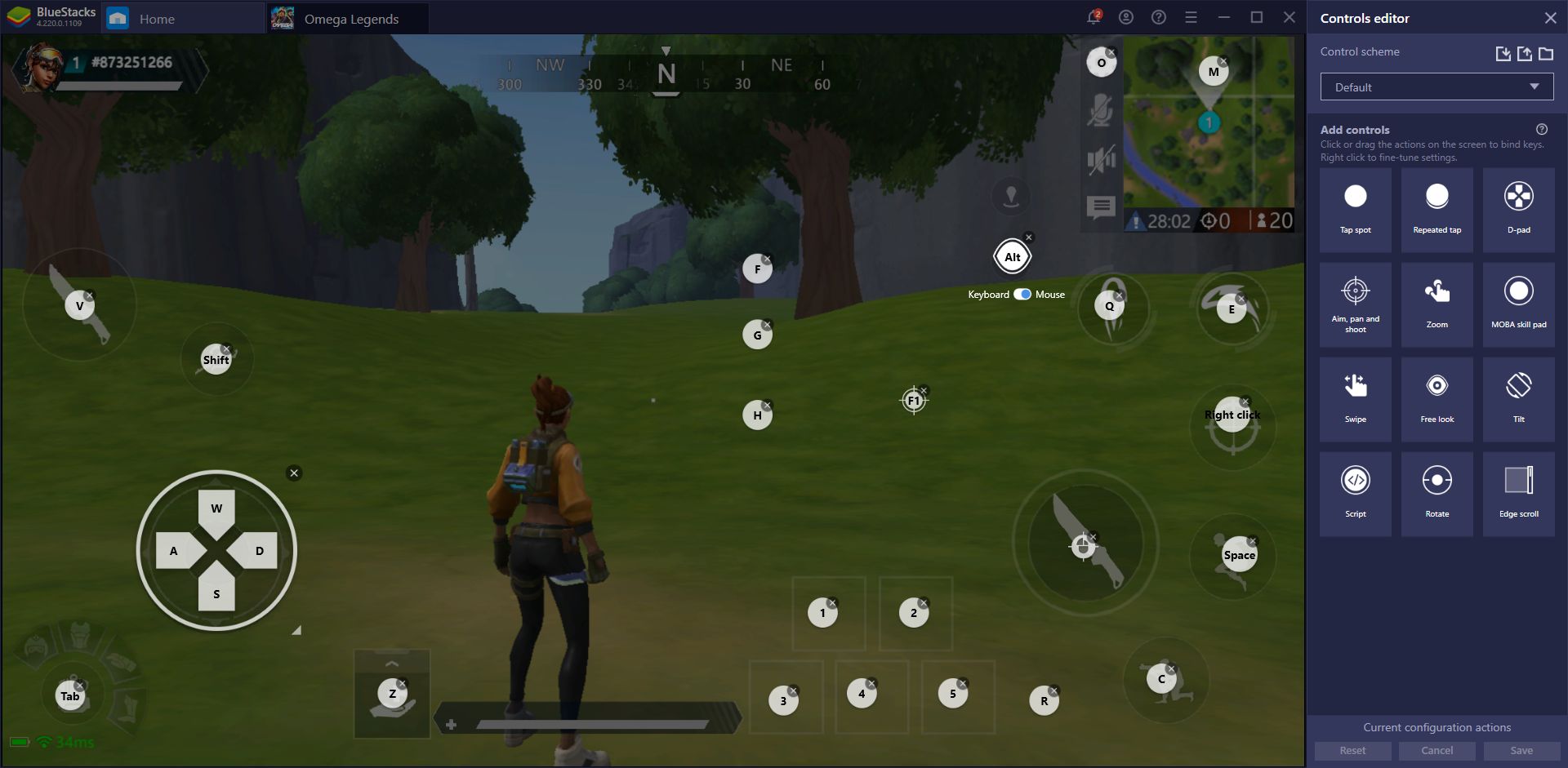
There are many benefits to using a mouse and keyboard setup in shooter games, chief of which being that you can have much better accuracy when fighting against other players, especially at longer distances. It’s really difficult to aim at small dots on the screen using a virtual joystick, but this is much easier if you’re using your gaming mouse with customizable DPI settings. In other words, if you have gaming gear, you might as well use it!